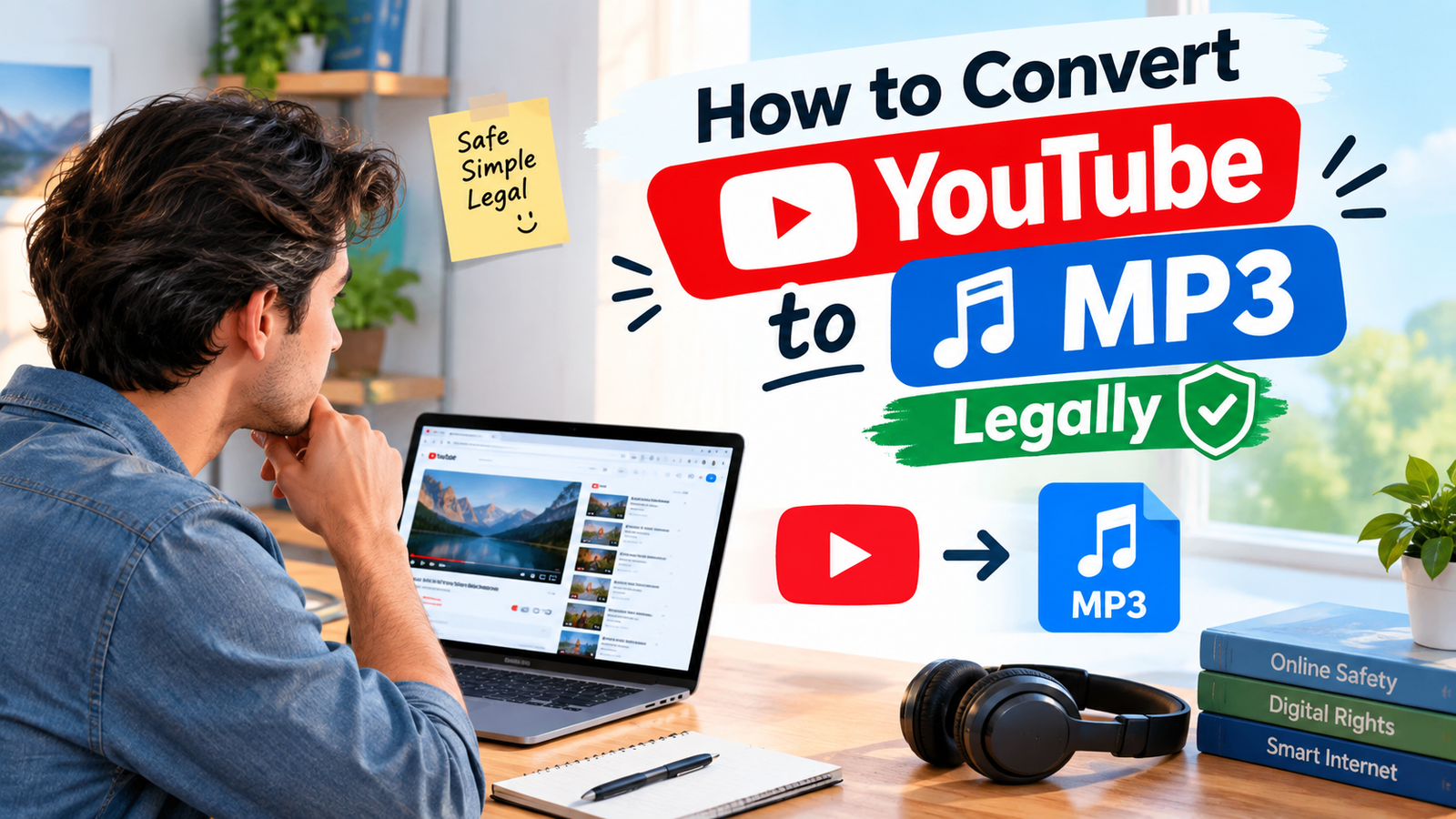
If you are searching for how to convert YouTube to MP3 legally, the first thing to understand is that converting a YouTube video into an MP3 file is not automatically legal or illegal in every situation. The important factor is whether you have the right to download and convert the audio. A video may be publicly available on YouTube, but public availability does not automatically mean that the audio can be copied, downloaded, converted, or redistributed.
Many people search for how to convert YouTube to MP3 legally because they want to listen to audio offline, save their own recordings, extract audio from content they created, or work with music and sound that has an appropriate license. There are legitimate ways to accomplish these goals, but the safest approach is to start with ownership, permission, licensing, or an official download option.
YouTube provides official offline features through supported services such as YouTube Premium, but those downloads are designed for playback within YouTube rather than creating ordinary MP3 files. YouTube’s help documentation specifically states that audio, music, or MP3 files cannot be downloaded directly from the YouTube app.
This guide explains how to convert YouTube to MP3 legally, what types of content can generally be converted safely, which situations require permission, how to handle your own YouTube videos, and what alternatives are available when you simply want offline listening.
Understanding How to Convert YouTube to MP3 Legally
Before thinking about conversion software or websites, it is important to understand the legal side of the process. The phrase how to convert YouTube to MP3 legally is really about authorization.
If you own the video and its audio, you generally have much more control over what you can do with the material. For example, if you uploaded your own podcast, educational recording, interview, presentation, or original music to YouTube, you may already have the underlying source file on your computer. In that situation, converting your own original video into an MP3 can be a normal file-format conversion.
The situation is different when the video belongs to another creator. A video being available for public viewing does not necessarily give viewers permission to download its audio as an MP3. Copyright owners can control how their protected works are reproduced and distributed.
Therefore, how to convert YouTube to MP3 legally should begin with a simple question: “Do I have permission or another legal right to make this copy?”
If the answer is yes, you can proceed using an appropriate method. If the answer is unclear, the safest approach is to use an official offline feature or obtain the audio directly from an authorized source.
Why YouTube Videos Are Not Automatically Free to Download
One of the most common misunderstandings surrounding how to convert YouTube to MP3 legally is the idea that anything on a public website is free to copy.
YouTube contains many different categories of content. Some videos are uploaded by individual creators, some belong to companies, some contain licensed music, some use Creative Commons licenses, and some contain material that the uploader does not necessarily own.
Because of this variety, the permissions associated with one video may be completely different from those associated with another.
For example, an original video created by you may be available for you to download through YouTube Studio. YouTube explains that creators can download videos they have uploaded, subject to certain restrictions.
On the other hand, YouTube’s official documentation states that users cannot download other users’ videos through the creator-download feature.
This distinction is important when researching how to convert YouTube to MP3 legally because ownership and authorization should come before the technical conversion process.
Converting Your Own YouTube Video to MP3
One of the clearest legitimate situations involves your own content.
Suppose you uploaded a podcast episode, lecture, tutorial, interview, travel video, or original music performance to your YouTube channel. If you own the relevant rights, you can obtain your original video file and convert the audio portion into MP3 for personal use or another permitted purpose.
YouTube provides creators with options for downloading videos they have uploaded. According to YouTube Help, creators can download their own videos through YouTube Studio, although certain videos may have restrictions.
Once you have your authorized video file, you can use a standard media-conversion application on your computer to convert the video file into an MP3. This is different from taking someone else’s copyrighted YouTube video and extracting its audio without authorization.
This is one of the most straightforward answers to how to convert YouTube to MP3 legally: obtain the original file that you own or are authorized to use, then perform the conversion locally.
Read more about: inflact
Using YouTube Premium for Offline Listening
Another important option for people researching how to convert YouTube to MP3 legally is YouTube Premium.
YouTube Premium provides an official way to download supported videos for offline playback. You can download videos through supported YouTube apps and browsers and then watch them without an active internet connection.
However, this is not the same as creating a standalone MP3 file.
The downloaded content is intended to be accessed through YouTube’s supported offline experience. YouTube explains that downloaded videos are stored in an encrypted form and are designed to be watched through the YouTube application.
Therefore, if your real goal is simply listening offline rather than obtaining a permanent MP3 file, an official offline feature may be a better solution.
You can learn more about official offline viewing through YouTube Help.
YouTube Does Not Provide Direct MP3 Downloads
A key fact to remember when considering how to convert YouTube to MP3 legally is that YouTube does not provide a general feature for downloading arbitrary YouTube videos as MP3 files.
YouTube’s official help page directly addresses this issue and states that audio, music, or MP3 files cannot be downloaded from the YouTube app.
This means that if your objective is simply to obtain an MP3 from an ordinary YouTube video, you should first determine whether you own the content or have permission to make that copy.
If you do not have those rights, an official YouTube offline feature can provide a legitimate alternative for supported content.
Using the YouTube Audio Library
Another useful option for anyone researching how to convert YouTube to MP3 legally is the YouTube Audio Library.
The YouTube Audio Library contains music and sound effects intended for creators. YouTube states that music and sound effects available through the Audio Library are copyright-safe for the uses described by YouTube.
The library also provides MP3 downloads for available tracks. YouTube’s instructions explain that users can preview tracks and download them as MP3 files.
This can be especially useful if your real purpose is not downloading a popular song from a YouTube video but obtaining legal audio for your own projects.
For example, you might need background music for a school project, personal video, presentation, podcast, or other creative work. Instead of extracting music from an unrelated YouTube video, you can look for suitable tracks in the official Audio Library.
Visit the YouTube Audio Library to explore available music and sound effects.
Understanding Creative Commons Content
Creative Commons licensing can sometimes provide additional permission to use online content, but it is important to read the specific license rather than assuming that every Creative Commons video can be freely converted and redistributed.
Different Creative Commons licenses can have different requirements. Some may require attribution, while others can place restrictions on commercial use or modifications.
When researching how to convert YouTube to MP3 legally, always check the license information associated with the specific content and follow its conditions.
If attribution is required, keep the necessary credit information. If commercial use is restricted, do not use the audio for commercial purposes unless you have another appropriate permission.
A license is useful because it provides information about what the copyright owner has permitted. However, you should not assume that a label alone removes every responsibility.
Getting Permission From the Copyright Owner
Sometimes the simplest legal solution is to ask the creator.
If you find a YouTube video containing audio that you would like to use, you can contact the creator and ask whether they permit you to download and convert the audio.
Permission can be particularly useful when you want to use the audio outside YouTube. For example, you may want to include it in a personal project, educational presentation, podcast, video, or other creative work.
When permission is granted, keep a record of it. If the creator provides specific conditions, follow them carefully.
how to convert YouTube to MP3 legally is an important part of understanding how to convert YouTube to MP3 legally because copyright permission can vary from one creator and one piece of content to another.
Converting Audio From Your Own Original Recordings
You do not necessarily need YouTube to create an MP3 from your own content.
If you recorded a lecture, podcast, interview, voice recording, or music performance yourself, the original recording is usually the best source. You can keep the master video and create an MP3 copy from that original file using normal media-conversion software.
This approach has several advantages.
how to convert YouTube to MP3 legally original file usually has better quality than a copy downloaded from an online platform. You also know where the recording came from, and you can preserve the original version before creating smaller versions for different purposes.
For people searching how to convert YouTube to MP3 legally, this workflow is often more reliable than relying on third-party conversion websites.
Why Audio Quality Matters
When converting a video into MP3, audio quality is another consideration.
MP3 is a compressed audio format. Depending on the source and settings, conversion can reduce some audio information. If the original recording is already compressed, converting it again can potentially reduce quality further.
For spoken-word recordings such as interviews, podcasts, and lectures, moderate MP3 quality may be perfectly adequate. Music can be more sensitive to compression, especially when the original recording is high quality.
If you own the original source, keep that original file safely stored. Then create the MP3 as a convenient copy.
how to convert YouTube to MP3 legally approach makes the process of how to convert YouTube to MP3 legally more practical because you are not treating the MP3 as your only copy.
Choosing an Appropriate Conversion Method
If you have a video file that you own or are authorized to convert, there are several general approaches.
A desktop media converter can convert a local video file into MP3. Some media players also provide conversion or transcoding features. Audio-editing applications may also be able to import a video and export its audio in a chosen format.
how to convert YouTube to MP3 legally important distinction is that you should use these tools with content you are authorized to convert.
how to convert YouTube to MP3 legally legality does not come from the converter itself. It comes from your rights to the underlying material and the way you use the resulting file.
Therefore, when considering how to convert YouTube to MP3 legally, think of the conversion program as a technical tool rather than a source of permission.
Avoiding Misleading “Free MP3” Claims
Search engines contain many websites that advertise free YouTube-to-MP3 conversion. However, the word “free” does not mean “copyright-free.”
A website may allow a technical conversion, but that does not necessarily mean that you have permission to copy or reuse the underlying copyrighted content.
YouTube also warns that copyright-safe music should come from appropriate sources and notes that simply describing music as “free” does not guarantee that it is safe to use.
This is why anyone searching how to convert YouTube to MP3 legally should focus on rights and licensing rather than merely finding a website that offers a download button.
Legal Offline Listening Versus Owning an MP3
These are two different goals.
how to convert YouTube to MP3 legally you want to listen to a video without an internet connection, an official YouTube offline feature may meet your needs.
how to convert YouTube to MP3 legally you want a permanent MP3 file stored independently on your computer or phone, you need to make sure that you have the appropriate rights to create that file.
YouTube Premium is designed around offline playback inside YouTube rather than giving users unrestricted MP3 copies.
Understanding this difference can save time and prevent confusion.
How to Convert Your Own YouTube Content Into MP3
how to convert YouTube to MP3 legally the video is yours, the general workflow is straightforward.
First, sign in to YouTube Studio and locate your uploaded video. YouTube provides creators with a download option for videos they have uploaded, subject to certain restrictions.
Next, download the authorized video file to your computer.
After that, open the local video file in a trusted media-conversion or audio-editing application.
Choose MP3 as the output format and select an appropriate audio quality.
Start the conversion and save the resulting MP3 in a clearly labeled folder.
Finally, keep the original video file as a backup.
This workflow is useful for podcasts, interviews, tutorials, presentations, educational recordings, and other original material.
How to Handle Copyrighted Music
Music requires additional care because a YouTube video can contain multiple rights.
For example, a creator may own the video but use music licensed from another copyright owner. In that situation, the creator’s permission to use the video does not necessarily mean you have permission to extract and redistribute the music.
how to convert YouTube to MP3 legally is why how to convert YouTube to MP3 legally cannot be answered only by asking who uploaded the video.
You should consider who owns the audio and what license applies to it.
For music that you want to use in your own creative work, look for an authorized music source and review its license conditions.
The Difference Between Personal Listening and Redistribution
Another important consideration is what you plan to do with the MP3.
Making an authorized copy for a permitted personal purpose can be different from uploading that MP3 to another website, sharing it publicly, selling it, or including it in a monetized project.
Redistribution can create additional copyright issues.
Therefore, even if you have permission to make an audio copy, check whether the permission also covers public sharing or commercial use.
When learning how to convert YouTube to MP3 legally, always consider both the creation of the MP3 and what you intend to do with it afterward.
Using Licensed Music for Content Creation
If your goal is to create videos rather than simply listen to music, licensed libraries can be more convenient.
The YouTube Audio Library provides tracks and sound effects that creators can use under the applicable library terms. YouTube also explains that some tracks require attribution while others do not.
You should always check the individual track’s requirements before publishing your project.
This approach is often better than extracting audio from a random YouTube video because you begin with a source that provides information about permitted use.
Checking Attribution Requirements
Attribution is an important part of some Creative Commons and licensed content.
If a track requires attribution, follow the instructions provided by the license. YouTube’s Audio Library explains how creators can obtain attribution information for tracks that require it.
Keep attribution information organized when working on projects.
If you regularly create content, maintaining a small record of music titles, creators, licenses, and attribution requirements can make future publishing easier.
Common Mistakes to Avoid
One common mistake is assuming that every YouTube video is downloadable simply because it can be watched.
Another mistake is assuming that a “free download” label means there are no copyright restrictions.
A third mistake is believing that changing a video into MP3 removes copyright protection. File conversion changes the format, not the ownership of the underlying work.
Another problem occurs when people download an audio file and then redistribute it without checking the license.
These misunderstandings are why the legal aspect should always come before the technical aspect of how to convert YouTube to MP3 legally.
Is It Legal to Convert Every YouTube Video?
No universal rule allows every YouTube video to be converted into MP3.
The answer depends on factors such as copyright ownership, permission, licensing, the purpose of the copy, applicable law, and the platform’s terms.
For some content, you may have clear permission.
For your own videos, you may have the necessary rights.
For certain licensed or appropriately released material, conversion may be permitted under the applicable license.
For other copyrighted content, downloading and converting it without permission may not be authorized.
Because copyright laws can vary between countries, this article should be treated as general information rather than individualized legal advice.
A Safer Workflow for Legal Audio Conversion
A simple workflow can make the process easier.
Start by identifying the video owner.
Then determine whether you own the video or have permission to download and convert it.
Next, check whether the audio contains third-party material.
After that, review the applicable license or permission.
If the content is authorized for conversion, obtain the video through an appropriate source.
Convert your authorized local file into MP3 using suitable software.
Finally, use and share the MP3 only within the permissions you have.
This workflow keeps the focus where it belongs: authorization first and technology second.
Why Official Sources Are Preferable
Official sources provide clearer information about downloads, licensing, and supported features.
YouTube’s own help resources explain its offline viewing options, creator downloads, and Audio Library.
When a platform provides an official way to accomplish your goal, using that method can reduce uncertainty.
For example, if your objective is offline viewing, YouTube Premium provides an official download feature for supported videos.
If your objective is obtaining MP3 music for your own creative projects, the YouTube Audio Library provides downloadable MP3 tracks under its applicable terms.
Frequently Asked Questions About How to Convert YouTube to MP3 Legally
Can I legally convert my own YouTube video to MP3?
how to convert YouTube to MP3 legally you own the necessary rights to the video and its audio, converting your own video into an MP3 can be a legitimate use. YouTube provides creators with ways to download videos they have uploaded, subject to its restrictions.
Does YouTube Premium give me MP3 files?
No. YouTube Premium provides official offline playback for supported content, but this does not mean that you receive unrestricted MP3 files. YouTube states that its offline downloads are designed for playback within its supported experience.
Can I download MP3 files from the YouTube Audio Library?
Yes. YouTube’s Audio Library provides downloadable music tracks in MP3 format. However, you should follow the license and attribution requirements associated with each track.
Is every Creative Commons YouTube video safe to convert?
Not automatically. You should check the specific Creative Commons license and follow its conditions. Different licenses can have different requirements.
Does converting a video to MP3 remove copyright?
No. Converting a file from video to audio changes the format but does not automatically remove copyright protection.
Can I share an MP3 after converting it?
That depends on your rights and the applicable license. Permission to make a copy does not necessarily mean you have permission to redistribute the resulting MP3.
What is the safest alternative to an MP3?
how to convert YouTube to MP3 legally your goal is simply offline listening, an official YouTube offline feature may be appropriate for supported content. If you need an actual MP3, look for audio that you own, have permission to use, or that is explicitly available for download under suitable licensing terms.
Final Thoughts
Learning how to convert YouTube to MP3 legally is less about finding a particular conversion website and more about understanding copyright, permission, licensing, and official download options.
how to convert YouTube to MP3 legally the content belongs to you, you can start with your original video file or use YouTube’s creator download options and then convert the authorized file into MP3. If your goal is offline viewing or listening, YouTube Premium offers an official offline experience for supported content.
For creators who need downloadable music, the YouTube Audio Library is another useful option because it provides music and sound effects with information about applicable usage requirements. Some tracks can be downloaded directly as MP3 files.
The most important principle is simple: a technical ability to download or convert something does not automatically create legal permission to do so. Always check ownership and licensing before creating or sharing an MP3.
By following that approach, you can understand how to convert YouTube to MP3 legally while reducing copyright risks and choosing methods that are appropriate for your particular situation.