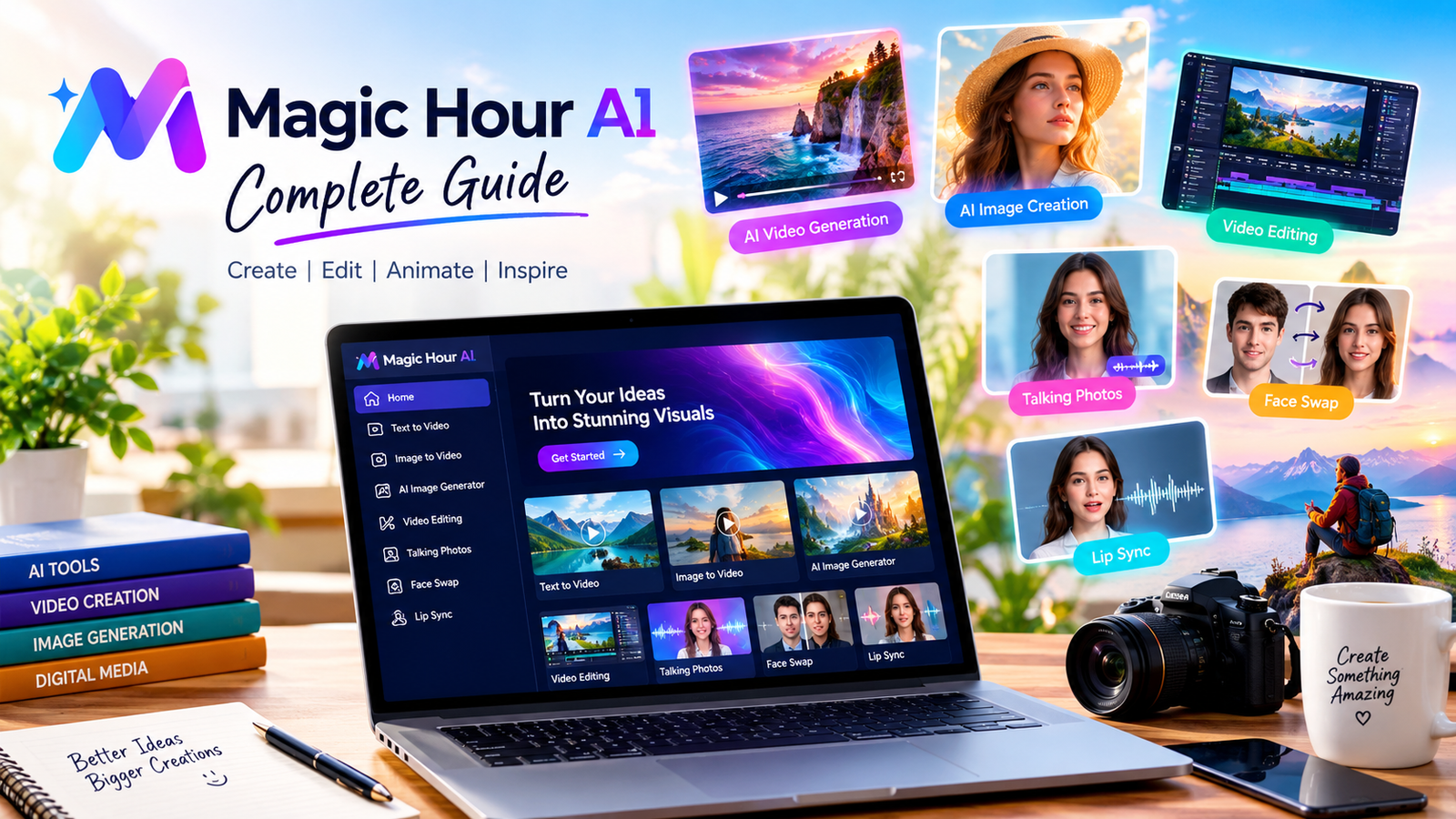
Magic Hour AI is an online creative platform that helps users create and edit digital content using artificial intelligence. From AI-generated videos and realistic images to talking photos and visual effects, Magic Hour AI brings several creative tools together in one place. The platform is designed for content creators, marketers, designers, business owners, and beginners who want to produce attractive digital media without mastering complicated editing software.
The growing popularity of Magic Hour AI reflects a wider change in digital content creation. People increasingly need engaging videos, professional images, and creative social media posts, but traditional production can require expensive equipment, technical knowledge, and considerable time. AI-powered tools offer another approach by turning written instructions, photographs, and existing footage into new visual content.
Magic Hour AI makes this process accessible through browser-based tools and straightforward workflows. Users can select a creation method, provide suitable input, describe their desired result, and review the generated output. Although artificial intelligence cannot guarantee perfect results, it can help users experiment with ideas and complete many creative tasks more efficiently.
What Is Magic Hour AI?
Magic Hour AI is an AI-powered media creation platform focused on video generation, image creation, editing, animation, and related creative workflows. Rather than concentrating on a single function, Magic Hour AI offers multiple tools that support different stages of digital production.
For example, someone starting with a written idea can explore text-to-video generation. A photographer who wants to animate a picture can use image-to-video functionality. Someone preparing educational content may find talking photos and lip-sync tools useful for creating presenter-style videos.
The platform also supports creative editing, including changing the appearance of existing footage and modifying visual elements through instructions. These capabilities can help users explore different styles without rebuilding every project from the beginning.
However, Magic Hour AI should not be understood as a guarantee of professional-quality output. Generated results depend on the selected tool, prompt clarity, source material, available settings, and model limitations. Reviewing each result remains an important part of the creative process.
How Magic Hour AI Works
Magic Hour AI uses artificial intelligence models to interpret instructions and process uploaded media. The exact process depends on the tool being used, but the general workflow is straightforward.
Users begin by identifying the content they want to create. They may start with a text description, an image, a video, or audio. Next, they select an appropriate tool and provide the required input. For text-based generation, a prompt describes the subject, setting, movement, lighting, or desired visual style.
The selected system processes that information and generates a result. Users can then review the output, adjust their instructions, experiment with another option, or download the finished file when available.
For instance, a user might enter a prompt describing a peaceful beach at sunset, with gentle waves and a slow camera movement. A video generator attempts to transform that description into moving imagery. The result may require additional attempts if the movement, composition, or lighting does not match the original idea.
This iterative process is important because AI generation involves interpretation rather than perfectly predictable editing. Clear instructions and careful review usually produce a more useful workflow.
Main Features of Magic Hour AI
AI Video Generation
Video generation is one of the major reasons creators explore Magic Hour AI. Text-to-video tools can transform written descriptions into short video clips, making it easier to visualize concepts without filming every scene.
This feature may help creators produce promotional visuals, storytelling experiments, educational scenes, and social media content. Instead of arranging a complete production, users can test different ideas through prompts and compare the results.
The quality of generated videos depends on factors such as motion complexity, subject consistency, scene details, and the selected model. Complicated interactions can be difficult for generative systems, so checking faces, hands, backgrounds, and movement is advisable before publishing.
Image-to-Video Animation
Magic Hour AI can also help users turn still images into moving scenes. Image-to-video generation is useful when a creator already has a photograph, illustration, product image, or AI-generated picture that would benefit from animation.
A user might animate clouds in a landscape, introduce subtle movement into a portrait, or create a short product presentation from a photograph. Motion prompts can guide the desired effect, although the final movement may differ from the instruction.
Good source images generally make the process easier. Clear subjects, appropriate lighting, and sufficient image quality can help the system interpret the scene. Reviewing the result is still necessary because generated movement may introduce unexpected details.
AI Image Generation
Image generation allows users to create visuals from written descriptions. Magic Hour AI can help produce creative concepts, promotional artwork, illustrations, background images, and other digital assets.
A useful image prompt describes the main subject, setting, lighting, composition, and intended style. For example, a business owner might request a clean product image with soft lighting and a simple background.
More specific instructions can help establish the desired direction, but adding too many unrelated details may make a prompt confusing. Users should also inspect generated text, object proportions, facial details, and other elements before using an image commercially.
AI Video Editing
Editing tools help users modify existing footage without necessarily following a traditional editing workflow. Depending on the available tool, users can describe changes such as replacing a background, removing distractions, changing visual styles, or adjusting scene details.
Magic Hour AI can therefore support creators who already have video footage but want to develop another version. A marketing team, for example, might experiment with different backgrounds or visual treatments for a promotional clip.
AI editing is not always suitable for every correction. Precise timing, complex professional effects, detailed audio mixing, and frame-level adjustments may still require conventional editing software.
Face Swap and Talking Photos
Face swap technology changes a face in an image or video using another facial reference. Talking photo tools can animate a portrait so that it appears to speak using supplied text or audio, depending on the available workflow.
These features can support creative storytelling, presentations, demonstrations, and entertainment projects. However, they require responsible use because realistic synthetic media can mislead viewers when presented without appropriate context.
Users should obtain permission before using another person’s likeness or voice and should avoid creating deceptive or harmful material. Clear disclosure can help audiences distinguish synthetic media from authentic recordings.
Lip Sync and Audio Features
Lip-sync tools attempt to align mouth movements with supplied speech or singing. This capability can be useful when preparing multilingual content, animated presenters, music visuals, and short explanatory videos.
The quality of synchronization depends on the source footage, audio clarity, facial visibility, and language. Poorly recorded audio or footage with an obscured face can reduce the quality of the result.
Creators should listen to the complete audio track and inspect the video before publishing. Lip synchronization also does not automatically mean that spoken words have been translated into another language; translation and synchronization are separate tasks.
Benefits of Using Magic Hour AI
One important benefit of Magic Hour AI is convenience. A browser-based platform can reduce the need to install multiple specialized applications before experimenting with creative ideas. Users can access different tools through an online workflow, subject to the relevant account and feature requirements.
Another advantage is creative flexibility. The same concept can be explored through several formats, including still images, animated pictures, generated videos, and edited footage. This flexibility may help creators discover visual approaches they would not otherwise have considered.
Magic Hour AI can also support faster experimentation. Instead of arranging a complete video shoot for every idea, a creator can generate preliminary visuals and decide which concepts deserve further development.
For small businesses, this can make early-stage marketing experiments more accessible. Independent creators may also use AI-generated material as a starting point for social media posts, presentations, and video concepts.
Nevertheless, faster generation does not remove the need for creative judgment. Users must still check factual accuracy, visual quality, brand consistency, copyright considerations, and the suitability of the final material.
Who Can Use Magic Hour AI?
Content Creators
Content creators can explore Magic Hour AI for short videos, animated images, creative introductions, and visual experiments. The platform may be particularly helpful when a creator needs several concepts for a single topic.
For example, a travel creator could experiment with animated landscape images, while an educational creator might develop illustrative scenes to accompany a lesson.
Digital Marketers
Digital marketers can use AI media tools to develop advertising concepts, campaign visuals, and variations of existing promotional material. Generating alternative creative directions can help teams compare different approaches before investing in a full production.
However, marketing content should remain accurate. Product appearance, claims, prices, and other important details should be checked carefully before publication.
Small Business Owners
Small businesses often have limited production budgets. Magic Hour AI may help owners create preliminary promotional graphics, short product videos, and visual content without organizing a traditional shoot for every project.
Businesses should evaluate whether generated content accurately represents their products and services. AI-generated visuals should not create misleading expectations about what customers will actually receive.
Students and Educators
Students can explore AI-generated visuals for presentations, creative assignments, and concept demonstrations when their institution permits such tools. Educators may use generated scenes to explain abstract subjects or introduce visual examples.
Users should follow academic policies and disclose AI assistance when required. Generated information should also be verified against reliable educational sources rather than accepted automatically.
How to Use Magic Hour AI Effectively
Start by defining a clear creative objective. Decide whether you need a new image, an animated photograph, a generated video, or an edit to existing footage. Selecting the right tool from the beginning can reduce unnecessary attempts.
Next, prepare suitable input material. Use clear photographs, readable reference images, and audio recordings with minimal background noise. If you are generating content from text, describe the main subject and its action before adding secondary details.
For video prompts, explain the setting, movement, lighting, and camera behavior where relevant. A simple instruction such as a person walking through a sunny park with a slow camera movement may be easier to interpret than a paragraph containing many unrelated actions.
Generate an initial result and inspect it carefully. Check whether the subject looks consistent, whether the movement appears natural, and whether the composition matches your objective. If something is wrong, change the relevant instruction rather than rewriting every part of the prompt.
Finally, download the approved result and organize your project files. Keep original assets and important exports where appropriate, particularly when preparing material for a client or business campaign.
Read more about: poppop ai
Magic Hour AI Pricing and Free Access
Pricing is an important consideration when choosing an AI creation platform. Magic Hour AI provides different access options, and the amount of available functionality can depend on the selected tool, account, subscription, or credit balance.
Some tools offer limited free generations, while more advanced workflows may require an account, credits, or a paid arrangement. Generation costs can also vary according to the selected model, duration, resolution, and other settings.
Before starting a large project, users should review the current pricing information and check the displayed credit cost for the intended generation. Free access should not be assumed to include every premium feature or unlimited production.
The official FAQ explains credits, commercial-use conditions, and other account-related questions. It is the most appropriate starting point for checking current requirements because pricing and feature availability can change.
Users should also consider the total cost of their workflow. If a project requires many attempts, extended videos, high resolutions, or additional editing, the final cost may be greater than the cost of a single generation.
Privacy and Responsible Use
Privacy matters when uploading photographs, recordings, business materials, and other potentially sensitive files. Before using Magic Hour AI, users should review the platform’s current privacy information and understand how uploaded content is processed.
According to the official FAQ, Magic Hour states that prompts, uploads, and generated outputs are not used to train its AI models. It also explains that automated systems and service providers may process content to deliver, secure, and support the service, while authorized personnel may access information for specific operational or legal needs.
These details are useful, but users should read the full policy before uploading confidential business information or sensitive personal material. They should also consider how long assets are retained and what deletion controls are available.
Responsible use extends beyond privacy. Users should obtain appropriate rights to images, video clips, music, and voices used in their projects. They should avoid impersonation, deceptive synthetic media, and unauthorized use of someone’s likeness.
When generated media could reasonably be mistaken for a real event or recording, providing context or a disclosure can help prevent misunderstanding.
Limitations of Magic Hour AI
Although Magic Hour AI provides several creative capabilities, it has limitations. AI-generated content can contain visual inconsistencies, unnatural movement, distorted details, or elements that do not follow the prompt precisely.
A video might show an object changing shape between frames, while an image might contain inaccurate text or unusual proportions. These issues mean that generated material should be treated as a draft until it has been reviewed.
Another limitation is predictability. Repeating the same prompt may not always produce an identical result. Users who need exact brand colors, precise product details, or consistent characters across many scenes may need extra testing and editing.
The platform may also have restrictions involving generation length, resolution, supported formats, and available models. These restrictions can vary by tool and account type.
For projects requiring precise control, traditional editing software and human review can remain essential. Magic Hour AI works best when users understand its strengths and choose tasks that suit generative technology.
Magic Hour AI Compared With Traditional Creative Workflows
Traditional media production gives creators direct control over filming, lighting, camera movement, editing, and sound. However, it can require equipment, technical expertise, and substantial preparation.
Magic Hour AI offers a different approach by generating or modifying media through prompts and uploaded assets. This can be useful for brainstorming, producing early concepts, or creating content when traditional production is impractical.
The two approaches do not have to compete. A creator might generate a preliminary scene with Magic Hour AI, refine the concept, and then use conventional software to improve timing, sound, color, and transitions.
For professional projects, the best choice depends on the intended result, budget, deadlines, and required level of control. AI tools can accelerate parts of production, but they do not automatically replace every human creative skill.
Read more about:
Tips for Better Results
Use focused prompts instead of combining many unrelated ideas into one instruction. Describe the subject clearly and specify the most important movement or visual change.
Choose source images carefully. Good lighting, a visible subject, and adequate resolution can help produce more convincing results. When animating portraits, select images that clearly show the face.
Experiment with different instructions when the first result is not suitable. Small changes to camera movement, background, lighting, or action may produce a more useful outcome.
Review every generated image and video before sharing it. Check for visual errors, unwanted changes, misleading details, and inconsistencies with your original brief.
Finally, plan your budget before producing many variations. Checking available credits and generation settings can help avoid unnecessary expenses and keep the project manageable.
Conclusion
Magic Hour AI is a versatile platform for creating and editing AI-generated images, videos, and other digital media. Its range of tools can help creators, marketers, students, and businesses experiment with visual content more efficiently. However, quality, pricing, privacy, and usage rights still require careful attention. For the best results, use clear prompts, select suitable tools, verify every output, and review the official documentation before beginning an important project.