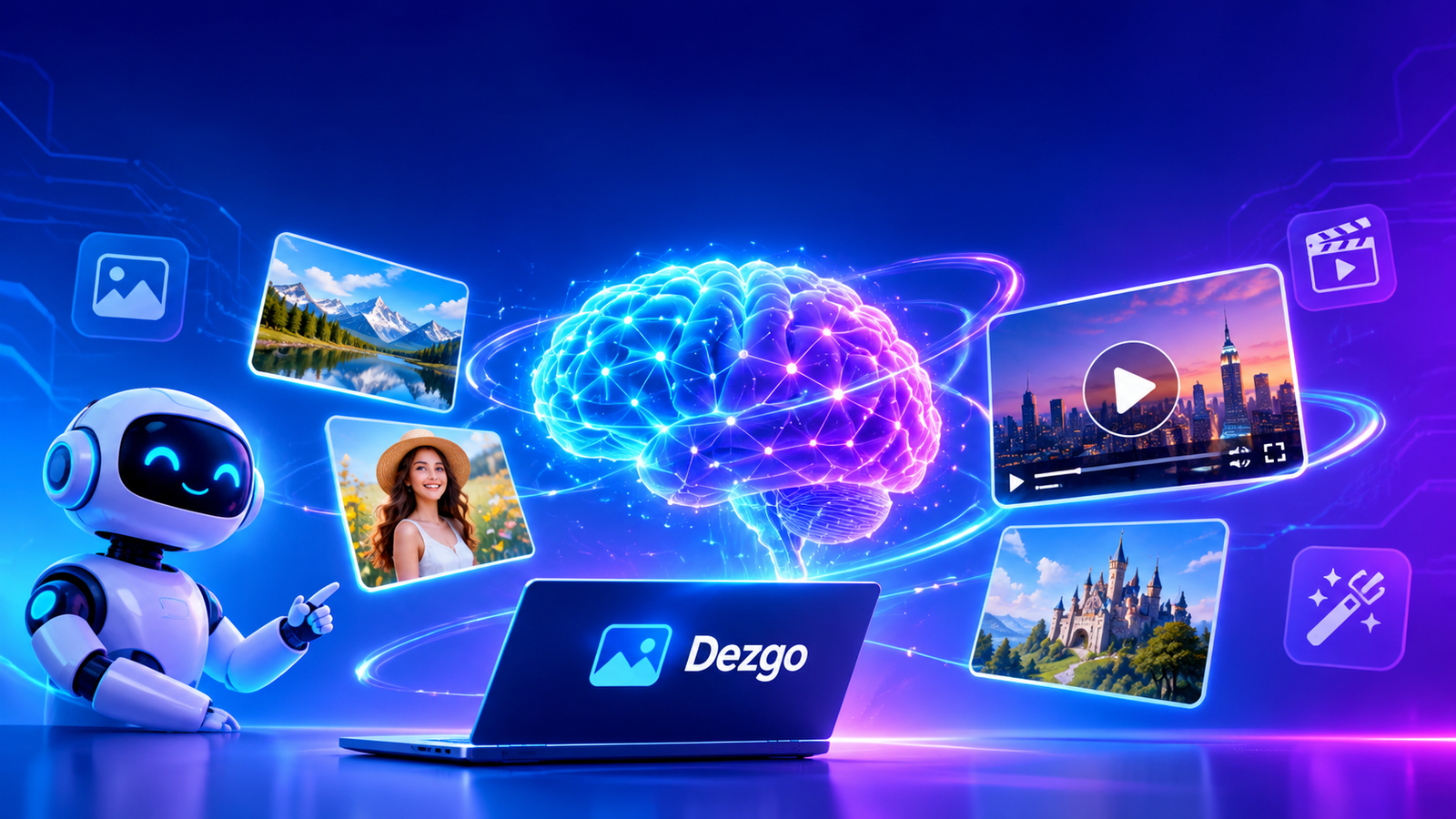
Artificial intelligence has changed the way people create digital content, especially images, illustrations, and videos. Tasks that previously required professional design software, technical knowledge, and hours of editing can now be completed with AI-powered tools. Dezgo is one of the platforms that makes this creative process more accessible by allowing users to generate and edit visual content through artificial intelligence. Instead of drawing every detail manually, users can describe an idea in ordinary language and let the AI transform that description into a visual result.
Dezgo is an online AI image and video generation platform designed for people who want to create digital media without installing complicated software. Its tools support different creative activities, including text-to-image generation, image-to-image transformation, image editing, background removal, and image enhancement. The platform also provides access to different AI models, giving users opportunities to experiment with different visual styles and creative approaches.
One reason Dezgo attracts attention is its combination of accessible tools and advanced generation options. Beginners can explore basic image creation, while experienced creators can experiment with models and additional settings. Whether someone needs an illustration for a website, a promotional graphic, a creative concept, or an original visual for social media, Dezgo provides several possibilities within one online environment.
What Is Dezgo?
Dezgo is an artificial intelligence platform that generates images and videos from text descriptions or existing visual content. Its main purpose is to simplify digital creation by using machine learning models to interpret instructions and produce corresponding media. Users do not need traditional drawing abilities to begin creating images because the system handles much of the visual generation process.
The platform uses different AI models with different capabilities. Some models are suitable for general image generation, while others are designed for particular styles, visual details, or creative requirements. This flexibility makes Dezgo useful for people with different levels of experience and different content creation goals.
Dezgo is accessible through a web browser, which means users can explore its tools without installing a large desktop application. Its free mode provides access to selected features with certain limitations. Users who require additional processing capabilities can explore Power Mode, which uses a prepaid, pay-as-you-go approach.
Another important aspect of Dezgo is that it offers more than basic image generation. Its additional tools help users modify existing pictures, replace selected areas, improve resolution, and prepare images for different projects. These capabilities make the platform relevant to bloggers, designers, marketers, students, and independent content creators.
How Dezgo AI Image Generation Works
Dezgo uses artificial intelligence models trained to understand relationships between language and visual information. When a user enters a description, the model processes the words and attempts to create an image that represents the requested subject, environment, style, and composition.
For example, a user might enter a prompt describing a modern office with natural lighting, a large window, comfortable furniture, and a professional atmosphere. The AI interprets these details and generates an image based on its learned visual patterns. The final result depends on the selected model, prompt quality, generation settings, and other technical factors.
The process generally begins with selecting a suitable generation tool. Users then enter a description, adjust available options, and start the generation process. After receiving the result, they can evaluate the image and decide whether another attempt or additional editing is necessary.
Dezgo does not guarantee that every generated image will perfectly match the original description. AI models can misunderstand complicated instructions, produce unexpected details, or struggle with certain visual elements. Therefore, experimenting with prompts and comparing different results is an important part of using the platform effectively.
Main Features of Dezgo
Text-to-Image Generation
Text-to-image generation is one of the central capabilities of Dezgo. It allows users to transform written descriptions into original digital images. This feature is useful when someone has a creative idea but does not have an existing photograph or illustration to work with.
A detailed prompt can describe the subject, background, lighting, camera perspective, atmosphere, and artistic style. For example, a travel blogger might request a realistic mountain landscape with a peaceful lake, green surroundings, and morning sunlight. The selected AI model then creates an image based on these instructions.
Dezgo provides access to different image models, including options from the Stable Diffusion and FLUX families, alongside newer models available through its interface. Different models may produce different levels of detail, realism, and stylistic interpretation. Choosing the appropriate model can therefore make a noticeable difference in the final image.
Image-to-Image Transformation
Image-to-image generation allows users to provide an existing picture as a starting point for creating another visual result. Instead of generating everything from a written description, the AI uses the uploaded image as a reference and modifies it according to the instructions.
This feature can help creators explore alternative visual styles, change the atmosphere of an image, or develop a new interpretation of an existing design. A simple photograph, for example, can become the starting point for a more artistic or imaginative composition.
The original image provides visual information that guides the generation process. However, the final output may differ from the uploaded picture depending on the selected model and settings.
AI Image Editing
Image editing is another useful part of the Dezgo experience. Users can describe changes they want to make and allow the AI to modify an existing image. This approach can be helpful when a picture needs visual improvements but does not require a complete redesign.
AI-based editing may support changes to objects, backgrounds, visual styles, and other image elements. The usefulness of a particular edit depends on the model and the complexity of the instructions.
For better results, users should explain the requested changes clearly. Describing what should remain unchanged is also helpful when preserving the original composition is important.
Inpainting and Text Inpainting
Inpainting is a feature that allows users to replace or modify selected areas of an existing image. Rather than recreating the entire picture, the user identifies an area that needs attention and provides instructions for the replacement.
For example, a creator may want to remove an unwanted object from a photograph or replace an empty background area with another visual element. AI inpainting can generate content that fits the surrounding composition.
Text inpainting adds another level of convenience because written instructions guide the replacement process. This feature can save time when correcting small visual problems or experimenting with alternative designs.
Background Removal
Removing a background is a common requirement in digital design, product photography, and marketing. Dezgo provides a background removal tool that helps separate the main subject from its surroundings.
An online store owner might use this feature to prepare product pictures for a catalog. Similarly, a content creator may need a transparent subject image for a promotional graphic or presentation.
Automatic background removal can reduce manual editing work, although complicated edges, transparent objects, and similar visual details may still require additional checking.
Image Upscaling
Image resolution affects how clearly a picture appears on different screens and in printed materials. Dezgo offers image upscaling capabilities that use AI to increase image dimensions while attempting to preserve or improve visible detail.
This feature can be useful when an existing image is too small for a website banner, presentation, or larger display. AI upscaling is different from simply stretching an image because the model attempts to reconstruct visual details during the enlargement process.
However, upscaling cannot guarantee the recovery of information that was never present in the original image. Users should inspect the result before using it in professional projects.
AI Video Generation
Dezgo has expanded beyond traditional image generation by providing access to AI video creation tools. Users can explore text-to-video and image-to-video workflows through supported models.
Text-to-video generation transforms a written description into a moving visual sequence. Image-to-video generation starts with an existing image and attempts to animate it according to the selected model’s capabilities.
These tools can be useful for short creative clips, visual experiments, social media content, and promotional concepts. Video generation is generally more computationally demanding than basic image generation, so access and pricing may differ from free image tools.
How to Use Dezgo
Getting started with Dezgo is relatively straightforward. First, open the official website and explore the available creative applications. The homepage presents different generation categories, making it easier to identify the tool that matches your project.
After selecting a text-to-image tool, enter a detailed description of the image you want to create. Avoid using extremely general instructions when the project requires a particular composition. Include information about the subject, setting, lighting, colors, and artistic style.
Next, review the available settings. Depending on the selected model, you may find options related to image dimensions, generation quality, and other parameters. Beginners can start with default settings and experiment with advanced options after understanding the basic workflow.
Once everything is ready, select the Run button to begin generating the image. Wait for the result and carefully examine the output. If the image does not match your expectations, improve the prompt or choose another model.
The same general approach applies to other Dezgo tools. For image editing, upload a suitable picture and describe the required changes. For background removal, provide the image that needs its background removed. For upscaling, select an image that requires greater resolution.
Understanding Prompts for Better Results
A prompt is the written instruction that tells an AI model what kind of image to generate. Prompt quality is important because the model uses these instructions to understand the user’s expectations.
A weak prompt might simply say that someone wants a beautiful house. Although the model can generate a house, the result may not match the intended design. A stronger prompt could describe a modern two-story house, large glass windows, a landscaped garden, warm evening lighting, and realistic architectural photography.
Specific descriptions provide useful visual direction. However, adding too many unrelated details can make instructions confusing. A balanced prompt should communicate the main subject and the most important visual characteristics.
Users should also understand that different Dezgo models can interpret identical prompts differently. A model designed for realistic photography may produce a different result from one optimized for anime illustrations or digital paintings.
Experimentation is therefore essential. Creating several versions and comparing their results can help users discover which instructions and models work best for their particular projects.
Dezgo Models and Creative Flexibility
AI models are responsible for interpreting instructions and producing visual content. Dezgo provides access to different model families and specialized options, giving creators more control over their results.
General-purpose models can handle many subjects, including landscapes, people, architecture, and digital illustrations. Specialized models may perform better for specific visual categories, such as photorealistic pictures, anime artwork, or three-dimensional designs.
The FLUX family and Stable Diffusion models are among the technologies associated with the platform’s image generation capabilities. The available selection can change as Dezgo introduces new models and updates its tools.
Choosing a model should depend on the purpose of the project rather than popularity alone. Someone creating a realistic product image may need a different model from an artist developing an imaginative fantasy illustration.
It is also important to remember that no single model is perfect for every task. Users should compare outputs, evaluate visual consistency, and select the option that produces the most useful results.
Free Version and Power Mode
One reason people explore Dezgo is the availability of a free mode. According to the platform’s FAQ, users can access its free version without registering. However, this access includes limitations designed to manage computing resources.
These limitations can involve generation speed, image resolution, quality settings, and the availability of computationally demanding features. Therefore, the free experience may be sufficient for basic experimentation but less suitable for users with extensive production requirements.
Dezgo also provides Power Mode through a prepaid payment system. Rather than relying on a traditional recurring subscription, this option allows users to add funds and pay according to the resources consumed by their requests.
The price of a generation depends on factors such as the selected model, image dimensions, and processing settings. The platform displays applicable costs before users submit requests in Power Mode.
This arrangement can be useful for occasional creators who do not want a monthly commitment. However, users should review the current prices and estimated generation costs before adding funds.
Dezgo for Bloggers and Website Owners
Bloggers regularly need original visual material to support their articles. Images can make online content more attractive, explain complicated ideas, and provide additional context for readers.
Dezgo can help website owners develop illustrations for technology guides, educational articles, product discussions, and creative topics. For example, an article explaining artificial intelligence could include an original image representing machine learning, automation, or digital innovation.
Another advantage is the ability to experiment with different visual concepts. Instead of repeatedly searching for a suitable stock photograph, a blogger can describe the desired composition and generate an alternative.
However, website owners should not treat AI-generated images as a replacement for useful written information. A visually attractive article still needs accurate explanations, original insights, and meaningful information.
Generated images should also be checked for visual errors, misleading details, and licensing requirements. When a picture represents a real product, place, or event, users should avoid presenting an invented image as an authentic photograph.
Dezgo for Social Media Creators
Social media creators need visual content that attracts attention and communicates ideas quickly. Dezgo can support this requirement by providing image generation and editing options for different creative projects.
A creator might generate a background for an Instagram post, develop an illustration for a Facebook page, or prepare an original concept for a YouTube thumbnail. The ability to experiment with colors, compositions, and visual styles makes the platform useful during the creative planning process.
Different platforms have different image dimensions and presentation requirements. Therefore, creators should consider the final publishing destination before generating their visuals.
An image designed for a square social media post may not work equally well as a wide video thumbnail. Selecting suitable dimensions and checking the final composition can help prevent unnecessary editing.
Dezgo for Digital Marketing
Digital marketing involves communicating a product, service, or business idea through online channels. Visual presentation plays an important role because promotional graphics can help explain an offer and attract potential customers.
Dezgo may assist marketers in developing campaign concepts, product backgrounds, advertising illustrations, and social media graphics. A business promoting a new technology product, for example, could generate several visual concepts before choosing a final design.
Small businesses may find AI image generation particularly useful when they have limited access to professional design resources. However, the generated material should still follow the company’s branding, product information, and advertising requirements.
Marketers should review every image before publication. AI-generated visuals can contain inaccurate product details, unrealistic features, or elements that may confuse customers.
Advantages of Dezgo
One important advantage of Dezgo is its browser-based accessibility. Users can explore its tools without setting up complex local software or purchasing expensive hardware for basic online generation.
Another benefit is its variety of creative capabilities. Text-to-image, image-to-image, editing, inpainting, background removal, and upscaling provide different ways to work with visual content.
The availability of different AI models also provides flexibility. Users can experiment with various approaches instead of depending on a single generation system.
Its free mode makes initial experimentation possible without requiring an immediate financial commitment. Power Mode provides another option for people who need additional processing capabilities and more extensive access.
Finally, Dezgo can serve different types of users. Bloggers, students, designers, marketers, and independent creators can explore its tools according to their individual requirements.
Limitations of Dezgo
Although Dezgo provides several useful capabilities, it also has limitations. AI image generation does not always produce perfect results, even when users provide detailed instructions.
One common challenge is inaccurate visual details. Images may contain distorted objects, unusual hands, inconsistent backgrounds, or unexpected compositions. Some results may need additional editing before they are suitable for publication.
Another limitation is the difference between available models. A prompt that works well with one model may produce disappointing results with another. Beginners may need time to understand these differences.
Free access also comes with restrictions. Users who need higher-quality generation or more computationally demanding features may need Power Mode.
Video generation can involve additional processing costs and technical limitations. Therefore, users should evaluate their requirements before depending on Dezgo for regular video production.
Finally, commercial usage requires attention to licensing. Although the platform explains that users can use their outputs subject to the applicable model licenses, the conditions of individual AI models should always be reviewed.
Privacy, Copyright, and Responsible Use
Responsible use is important when creating digital content with artificial intelligence. Users should consider privacy, copyright, licensing, and the potential impact of generated images.
Before uploading an existing photograph, make sure you have the necessary permission to use it. Avoid uploading confidential documents, private photographs, or sensitive business material without understanding the platform’s data handling practices.
Copyright considerations can vary depending on the AI model and applicable legal requirements. Dezgo explains that output usage is subject to the license terms of the model used to create it. This means users should not assume that every model has identical conditions.
Commercial creators should review the relevant license before using generated content in advertisements, merchandise, or client projects. They should also avoid generating misleading representations of real individuals, products, or events.
Responsible AI use protects both creators and audiences. Reviewing images carefully and respecting the rights of others helps make digital content more trustworthy.
Dezgo Compared with Traditional Image Editing
Traditional image editing usually requires users to understand software tools, layers, selections, brushes, and other design techniques. Although these methods provide detailed creative control, they can require considerable time and practice.
Dezgo approaches visual creation differently by allowing users to describe many changes through text instructions. This can make certain tasks easier for beginners and speed up early creative experiments.
However, AI generation and traditional editing are not identical. Professional designers may still prefer conventional software when they need precise control over typography, alignment, branding, and individual image elements.
The two approaches can also complement each other. A creator may generate an initial concept using Dezgo and then refine the result in an image editing application.
Tips for Getting Better Results with Dezgo
Successful image generation requires a combination of clear instructions, suitable model selection, and careful evaluation. Users should begin by identifying the exact purpose of their image.
Descriptions should include the main subject, environment, composition, and desired visual style. If lighting or color is important, those details should also be included.
It is useful to change one major prompt element at a time when comparing results. This makes it easier to understand which instructions improve the generated image.
Users should also explore different models rather than assuming the first option will always provide the best outcome. Some models are better suited to realistic photography, while others may perform more effectively for illustrations or imaginative artwork.
Finally, inspect the output at its intended display size. A picture that looks attractive as a small preview may contain visible errors when enlarged.
Is Dezgo Worth Exploring?
Dezgo is worth exploring for people who want an accessible way to experiment with AI-generated images and videos. Its range of tools makes it relevant to several creative activities, from basic image generation to more advanced editing workflows.
Beginners can use the available free features to understand how prompts influence visual results. More experienced users can explore different models and processing options according to their requirements.
The platform may not replace professional design applications in every situation, but it offers a convenient approach to generating and modifying digital media. Its usefulness ultimately depends on the user’s creative goals, expectations, and willingness to experiment.
Read more about: AI feractured tool
Conclusion
Dezgo provides an accessible collection of AI-powered tools for creating and editing digital media. Its image generation, editing, upscaling, and video capabilities offer useful opportunities for different creators. By choosing appropriate models, writing clear prompts, and reviewing generated results, users can make better use of Dezgo for personal and professional creative projects.