INTODUCTION:
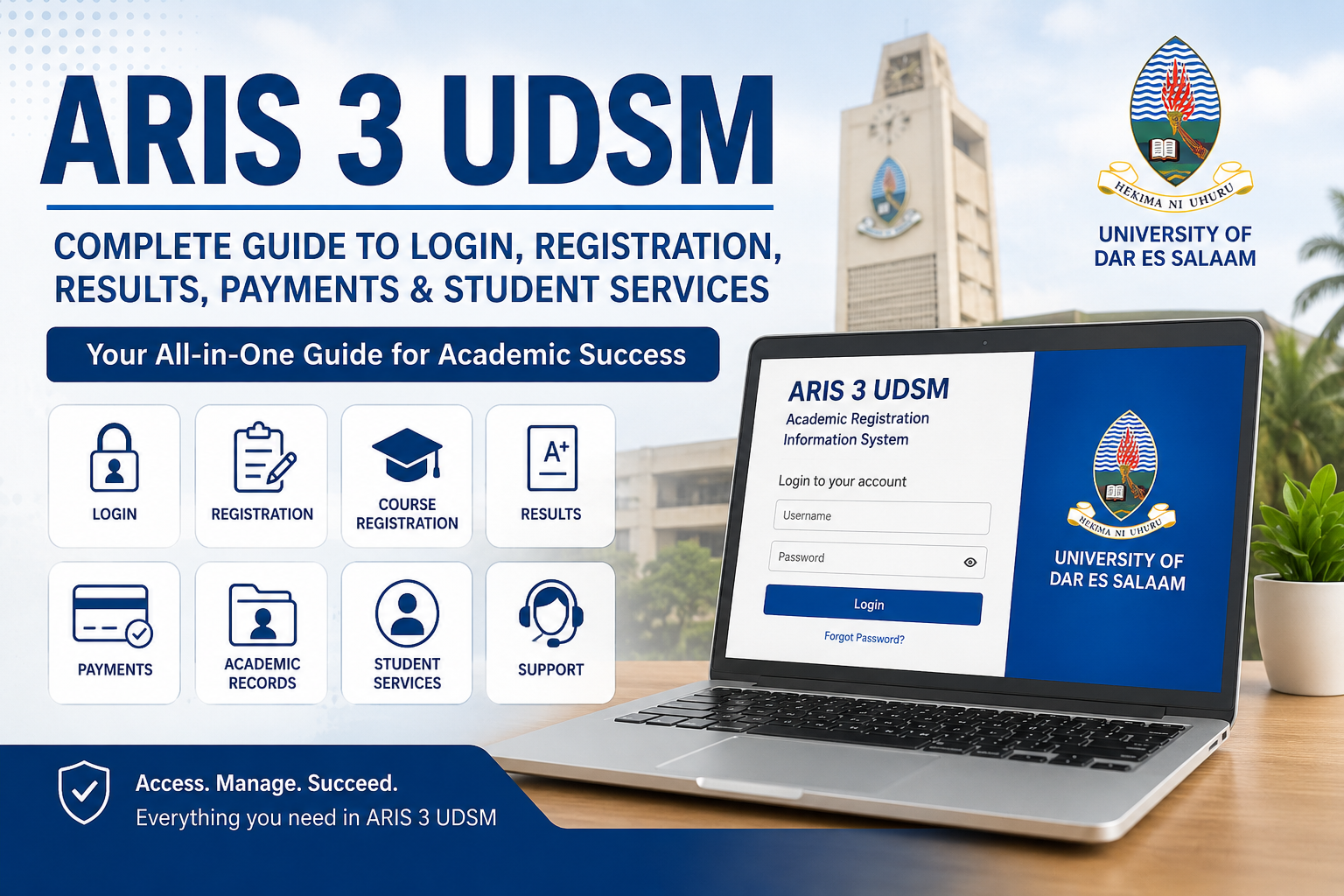
Students at the University of Dar es Salaam (UDSM) use several digital systems to manage their academic and university-related activities. One of the most important platforms is ARIS 3 UDSM, a system designed to support academic registration, academic records, examination results, payments, and other student services.
For a new student, finding the correct ARIS 3 UDSM login process can sometimes be confusing. Continuing students may also need guidance when registering courses, checking results, managing payments, or accessing academic information.
This complete guide explains ARIS 3 UDSM, its main functions, how students can access the system, what they can do after logging in, and what to check when they experience common account or portal problems.
Important: UDSM systems and procedures can change over time. Students should always verify current instructions through official University of Dar es Salaam websites and notices before making payments or submitting important academic information.
What Is ARIS 3 UDSM?
ARIS 3 UDSM refers to the third-generation version of the University of Dar es Salaam’s Academic Registration Information System. It is an important digital platform used to support student academic and administrative activities.
The University of Dar es Salaam’s Directorate of ICT currently describes ARIS 3 as a platform for academic records, registration, results, and related student services.
In simple terms, ARIS 3 UDSM gives students an online place where they can manage several university activities without having to handle every process manually.
Depending on a student’s programme, academic year, and permissions, the system may provide access to services such as:
- Academic registration
- Course registration
- Examination or course results
- Academic records
- Student information
- University payments
- Registration status
- Graduation-related services
- Accommodation-related services
- Other academic administration functions
The exact options visible after login may differ according to the student’s role and current university requirements.
Why Is ARIS 3 UDSM Important for Students?
Modern universities depend heavily on digital systems because students need access to academic information throughout the academic year. At UDSM, ARIS 3 is one of the key systems supporting these activities.
The importance of ARIS 3 UDSM comes from its ability to bring several student-related processes together.
Instead of depending entirely on physical offices for every academic task, students can use the system for many routine activities online.
For example, a student may need to:
- Register for an academic year.
- Select or register courses.
- Review academic results.
- Check payment information.
- View academic records.
- Complete required registration steps.
- Access other services made available through the student account.
Official UDSM information also identifies ARIS 3 among the university’s common digital systems.
This makes understanding the ARIS 3 UDSM login and navigation process useful for both new and continuing students.
ARIS 3 UDSM Login: How to Access Your Account
One of the most common searches related to the platform is ARIS 3 UDSM login.
The University has historically provided students with an ARIS address for accessing the academic registration system, and official UDSM joining instructions have directed students to use their ARIS account for registration and online payments.
UDSM’s current Access Portal also provides a centralized gateway to university systems and lists ARIS3 among the available services.
Basic ARIS 3 UDSM Login Process
To access your account:
Step 1: Open the Official UDSM System
Start from the official University of Dar es Salaam website or its current Access Portal.
The UDSM Access Portal is designed as a centralized gateway to university systems and services. It currently lists ARIS3 as one of the available systems.
Step 2: Select ARIS 3
Choose ARIS3 from the available systems if you are using the UDSM Access Portal.
If UDSM provides a direct ARIS 3 address in its current student instructions, use the official address rather than an unofficial website.
Step 3: Enter Your Login Details
Enter the credentials associated with your student account.
Depending on the current UDSM authentication setup, the system may request a username, registration number, email, or another university-approved credential.
Step 4: Sign In
After entering the correct information, select the login option.
If your credentials are accepted, you should be taken to your student dashboard.
Step 5: Check Your Dashboard
Once inside ARIS 3 UDSM, review the available menu options. These can vary according to your student status and the services currently enabled by the University.
How New Students Can Create an ARIS 3 UDSM Account
New students may need to create or activate their ARIS account before using student services.
Official UDSM joining instructions have described an account creation process in which students go to the ARIS 3 website, select Sign Up, choose the student account type, enter their registration number, create a password, accept the terms, and register the account.
The exact interface can change, so students should follow the latest instructions supplied by UDSM.
A typical process is:
- Open the official ARIS 3 system.
- Select Sign Up if account creation is required.
- Choose the appropriate student account option.
- Enter your registration number.
- Confirm the information displayed by the system.
- Create a secure password.
- Accept the applicable terms.
- Complete the registration process.
- Return to the login page.
- Sign in using your newly created credentials.
If the system does not recognize your registration number, do not repeatedly create accounts. First check your admission or joining information and contact the appropriate UDSM support office if necessary.
ARIS 3 UDSM Course Registration
Course registration is one of the important activities associated with the system.
Students generally need to register for the courses or academic activities required for their programme and semester. Official UDSM documents have included course registration among the activities completed through ARIS.
A general course registration workflow may involve:
- Logging into your ARIS 3 account.
- Opening the Registration section.
- Selecting My Registration or the applicable registration option.
- Reviewing the academic year and semester.
- Checking the courses available for your programme.
- Selecting the required courses.
- Reviewing your selections carefully.
- Completing any required confirmation or submission step.
- Checking your registration status afterward.
The available course list should be based on your programme and the University’s current academic requirements.
Why Should Students Check Course Registration Carefully?
A mistake in course registration can create academic or administrative problems later.
Before confirming registration, students should check:
- Programme
- Academic year
- Semester
- Course codes
- Course titles
- Required courses
- Elective courses
- Registration status
If something appears incorrect, students should seek assistance from the relevant academic office rather than assuming the system will automatically correct it.
ARIS 3 UDSM Results: How Students Can Check Academic Results
Another major reason students search for ARIS 3 UDSM is to access academic results.
The UDSM Directorate of ICT identifies ARIS 3 as a system supporting results and academic records.
After logging in, a student may find an academic or results-related section in the dashboard.
A general process is:
- Log into ARIS 3 UDSM.
- Open the academic or results section.
- Select the relevant academic year or semester if required.
- Review the available course results.
- Check the displayed grades or academic information.
The exact menu names can change when UDSM updates the system.
Students should also remember that the appearance of a result in an online system can depend on university processing and publication schedules.
If a result is missing, it does not automatically mean that the student has failed or that the record has been permanently lost. The result may still be undergoing processing or there may be an administrative issue.
For important academic concerns, students should contact the relevant UDSM office.
ARIS 3 UDSM Payments
Payments are another important part of the UDSM student administration process.
Official UDSM joining instructions have stated that registration and payments can be handled online through the student’s ARIS account.
Older official UDSM payment documentation also describes an ARIS My Payments area where students can view payment information and create payments.
Because payment procedures and fees can change, students should rely on the current official UDSM instructions rather than old screenshots or third-party websites.
A typical payment workflow may include:
- Log into your ARIS 3 account.
- Open the payment section.
- Review the required payment information.
- Generate or review the applicable payment reference or control information.
- Follow the payment instructions provided by UDSM.
- Complete the payment through an approved method.
- Return to ARIS and check the payment status.
Always Verify Payment Details
Before making an important university payment, check:
- Student name
- Registration number
- Payment description
- Amount
- Payment reference or control number
- Academic year
- Official payment instructions
Never rely solely on information posted by random social media accounts or unofficial websites.
Read more about:rndcoin kr
ARIS 3 UDSM Registration Status
Students may also use the system to monitor whether their university registration requirements have been completed.
Registration can involve more than simply logging into the portal. Depending on the student’s situation, registration may involve payments, verification, medical requirements, course registration, or other university requirements.
For example, official UDSM joining instructions have described registration as involving tuition and direct-cost payments, certificate verification, medical checking, and course registration.
This means that a student should not assume that logging into ARIS automatically means every registration requirement has been completed.
After completing the required steps, check the relevant registration status in your account and follow any outstanding instructions.
ARIS 3 UDSM Academic Records
Academic records are another important component of the platform.
The UDSM Directorate of ICT specifically lists academic records among the functions associated with ARIS 3.
Students may need academic information for:
- Academic planning
- Results review
- Transcript requests
- Graduation preparation
- Scholarship or sponsorship requirements
- Further education
- Employment-related documentation
UDSM’s Directorate of Undergraduate Studies also provides information about transcript and certificate requests and specifically lists ARIS 3 Transcript Request Procedures among its services and documents.
If you need an official transcript, do not assume that viewing your results online is the same as receiving an official transcript. Follow the University’s current transcript request procedure.
ARIS 3 UDSM Graduation Services
Graduation is another area associated with student academic administration.
Students approaching graduation should make sure that their academic information, registration, results, and other requirements are correctly recorded.
The system may provide graduation-related functionality depending on the student’s account and the current university process.
However, graduation eligibility should always be confirmed through the official UDSM process.
Students should carefully check:
- Completed courses
- Outstanding courses
- Academic results
- Registration records
- Financial requirements
- Graduation instructions
- Any required forms or clearances
UDSM’s student and academic offices publish official information and forms related to academic and graduation matters.
ARIS 3 UDSM Accommodation Services
Some students may also find accommodation-related services in their ARIS account.
Older official UDSM ARIS documentation shows accommodation among the available student-related modules.
However, students should check the current university instructions for accommodation because procedures, availability, eligibility, and application periods can change.
If accommodation information is not visible in your account, that does not necessarily mean your account is broken. It may simply mean the service is not currently available to your account or the university is using a different process.
What to Do If ARIS 3 UDSM Is Not Opening
Sometimes students may experience problems accessing ARIS 3 UDSM.
The problem may come from the internet connection, browser, incorrect credentials, temporary server issues, or university system maintenance.
Try these basic steps:
1. Check Your Internet Connection
Make sure your device has a stable internet connection.
Try opening another trusted website to determine whether the issue is limited to ARIS.
2. Confirm the Website Address
Make sure you are using an official UDSM route.
Avoid entering student credentials into suspicious websites that copy the appearance of university portals.
3. Try Another Browser
If the system does not work correctly in one browser, try another updated browser.
4. Clear Browser Cache
Old cached files can sometimes interfere with websites.
Clearing the browser cache and reopening the site may help.
5. Check Your Login Details
Make sure your username and password are entered correctly.
Pay attention to:
- Capital letters
- Spaces
- Numbers
- Special characters
6. Try Again Later
University systems can occasionally experience maintenance or temporary technical problems.
If the issue affects many students, waiting and checking official UDSM announcements may be more useful than repeatedly changing your account settings.
7. Contact UDSM ICT Support
The UDSM Directorate of ICT provides support for university systems, including ARIS-related technical issues. The official ICT page directs users to its support services for problems involving ARIS and other university systems.
ARIS 3 UDSM Forgot Password
Forgetting a password is a common problem with online student systems.
If the login page provides a Forgot Password option, use the official password recovery process.
A safe recovery process generally involves:
- Open the official login page.
- Select the password recovery option.
- Enter the information requested by the system.
- Follow the verification instructions.
- Create a new password if the system allows it.
- Return to the login page.
- Sign in with the new password.
Do not give your password to another person claiming to be able to “fix” your account.
If the official recovery option does not work, contact UDSM ICT support or the appropriate university office.
ARIS 3 UDSM Login Problems and Common Solutions
Here is a simple troubleshooting table:
| Problem | Possible Solution |
|---|---|
| ARIS page does not open | Check internet and official website address |
| Incorrect password | Re-enter carefully or use official recovery |
| Account not found | Verify registration details with UDSM |
| Registration option missing | Check academic year and account status |
| Results not visible | Check publication status or contact academic office |
| Payment not updated | Verify payment details and allow processing time |
| Page keeps loading | Refresh, clear cache, or try another browser |
| Website shows an error | Try later and check official UDSM notices |
| Mobile display looks incorrect | Try an updated browser or desktop |
| Technical problem continues | Contact UDSM ICT support |
Is ARIS 3 UDSM the Same as the UDSM Admission System?
No.
This is an important distinction.
The UDSM admission system is used for the university application and admission process, while ARIS 3 is primarily associated with academic registration, records, results, payments, and related student services.
UDSM’s official admission website explains that undergraduate and postgraduate applications are processed through the UDSM Online Admission System.
Therefore, students should not confuse:
UDSM Admission System
with
ARIS 3 UDSM
A person applying for admission may use the admission system, while an enrolled student may use ARIS for academic and student administration.
ARIS 3 UDSM for New Students
New students often have more questions because they are learning several university systems at the same time.
After receiving admission, students should carefully read the latest UDSM joining instructions.
These instructions may contain important information about:
- Account creation
- Registration
- Fees
- Payments
- Medical requirements
- Certificate verification
- Course registration
- Academic procedures
Official UDSM joining instructions have specifically directed students to ARIS for online registration and payments.
A new student should therefore keep their registration number and official university documents safe.
ARIS 3 UDSM for Continuing Students
Continuing students generally already have an established university account and may use ARIS throughout their academic journey.
Typical activities can include:
- Course registration
- Checking results
- Reviewing academic information
- Checking payments
- Monitoring registration
- Preparing for graduation
- Accessing other available student services
The exact services can depend on the student’s programme and current academic status.
It is good practice for continuing students to check their ARIS account regularly, especially around registration periods and examination-result publication periods.
How to Use ARIS 3 UDSM Safely
Because ARIS contains academic and personal information, students should treat their accounts as private.
Follow these security practices:
Use the Official Website
Always start from an official UDSM website or the current UDSM Access Portal.
Protect Your Password
Never share your password with friends, strangers, or unofficial “account helpers.”
Avoid Suspicious Links
Do not enter your registration number and password into websites that look unusual or are not associated with UDSM.
Log Out on Shared Computers
If you use a school computer, library computer, or another shared device, log out when finished.
Keep Your Account Information Private
Your registration number and other student details should not be posted publicly unless there is a genuine university reason to do so.
ARIS 3 UDSM and the New UDSM Access Portal
UDSM currently provides an Access Portal intended to act as a centralized gateway to university systems.
The official portal states that students, staff, and other members of the UDSM community can use it to access authorized systems. It lists ARIS3, LMS, Admission, RIMS, Library, CONRIS, OPRAS, and Safari among available systems.
The Access Portal also describes features such as single sign-on, a personalized dashboard, mobile-friendly access, and centralized links to university systems.
This is useful because students no longer need to depend on random search results to locate university systems. Starting from the official UDSM portal can reduce the risk of using an outdated or unofficial link.
Frequently Asked Questions About ARIS 3 UDSM
What does ARIS 3 UDSM mean?
ARIS 3 UDSM is the University of Dar es Salaam’s Academic Registration Information System platform used for academic registration, academic records, results, and related student services.
What can students do on ARIS 3?
Depending on the account and current university configuration, students may use ARIS 3 for registration, academic information, results, payments, and other student-related services.
How do I log into ARIS 3 UDSM?
Use the official UDSM route to access ARIS 3 and enter the credentials associated with your student account. UDSM’s current Access Portal lists ARIS3 as an available university system.
Can I check my results on ARIS 3?
ARIS 3 supports academic results, according to the UDSM Directorate of ICT.
Can I register courses through ARIS 3?
Course registration is one of the student activities supported through ARIS. Official UDSM joining instructions include course registration as part of the registration process.
Can I make university payments through ARIS?
UDSM joining instructions have directed students to use their ARIS accounts for online registration and payments.
What should I do if I forget my password?
Use the official password recovery option if available. If recovery does not work, contact UDSM ICT support.
Is ARIS 3 the UDSM admission portal?
No. UDSM’s admission applications are handled through the UDSM Online Admission System, while ARIS 3 is used for academic registration and related student services.
Is ARIS 3 available on mobile?
The UDSM Access Portal is described as mobile-friendly, allowing users to access university systems from different devices.
Final Thoughts on ARIS 3 UDSM
ARIS 3 UDSM is an important part of the University of Dar es Salaam’s digital student environment. It supports essential activities such as academic registration, results, academic records, payments, and other student services.
For students, learning how to use ARIS 3 can make university administration easier. Instead of depending entirely on physical offices for routine tasks, students can access many services online.
The most important thing is to use official UDSM information, especially when dealing with registration, payments, passwords, academic records, and examination results. UDSM’s current digital-services information confirms ARIS 3 as a key university system, while its student and joining documents provide additional guidance about registration and payments.
If you are a new student, begin by checking your official joining instructions. If you are a continuing student, regularly review your ARIS account during registration and examination periods.
When a technical problem occurs, avoid relying on unofficial websites or people offering to access your account. Use the University’s official ICT support channels instead.
By understanding the ARIS 3 UDSM login, registration process, results section, payments, academic records, and troubleshooting options, students can use the platform more confidently and avoid many common mistakes.