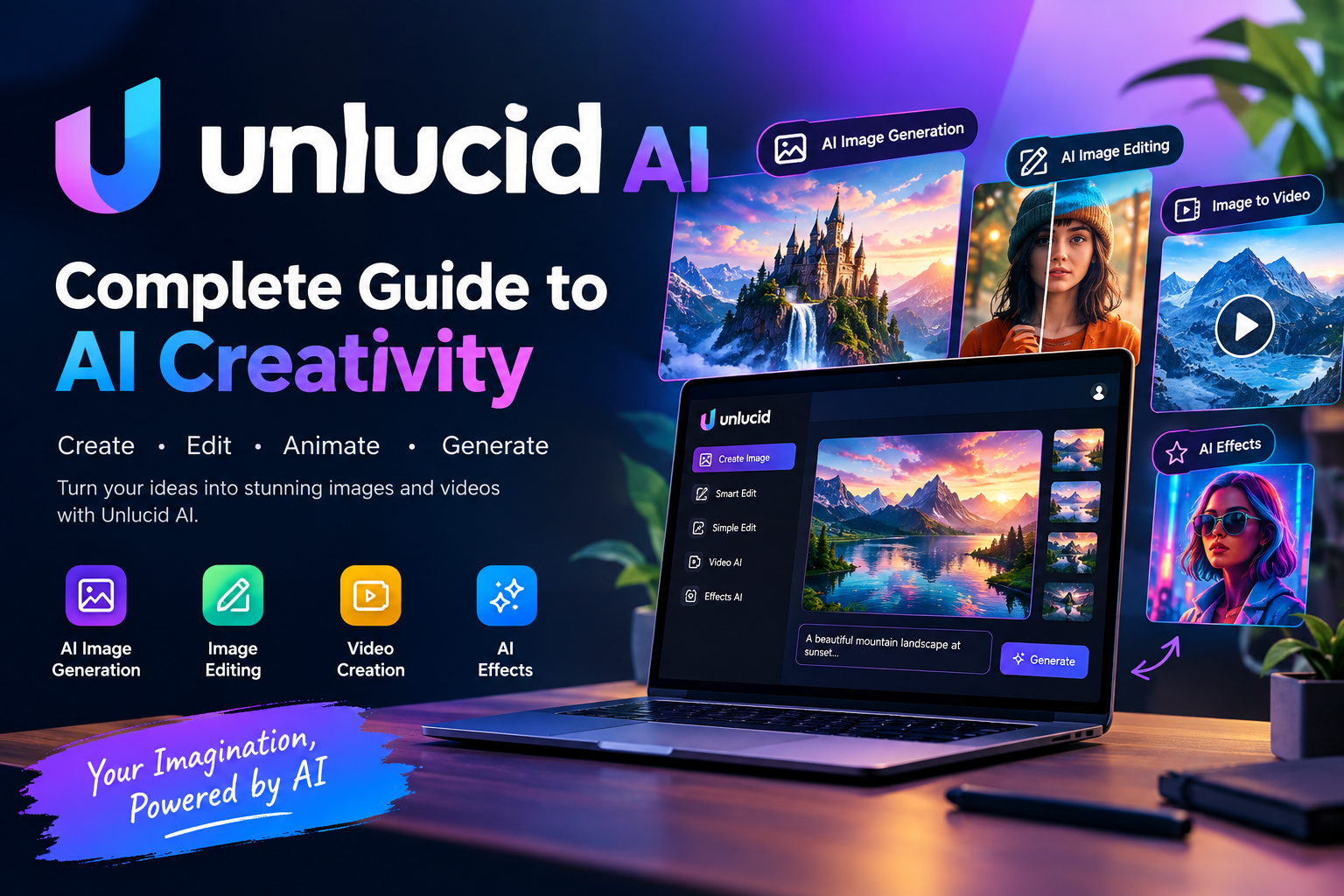
Artificial intelligence has changed the way people create digital content. What once required advanced design software, expensive equipment, and professional editing skills can now be accomplished through simple AI-powered platforms. Among the growing number of creative AI services, Unlucid has attracted attention for combining image generation, image editing, animation, and video creation in one browser-based environment.
For creators who want to experiment with AI-generated visuals without learning complicated software, Unlucid AI offers an accessible approach. The platform focuses on helping users transform ideas into visual content through text prompts, editing instructions, image-to-video tools, and creative effects.
The official platform describes its services as a collection of AI tools for creating images, editing existing visuals, and turning pictures into short videos. It also provides different creative studios so users can work with visual content without requiring advanced technical knowledge.
This guide explores what Unlucid is, how its main features work, who can benefit from it, what users should consider before using it, and how AI-powered visual creation is changing the online creative industry.
What Is Unlucid AI?
Unlucid AI is an online creative platform built around artificial intelligence. Instead of requiring users to install complicated software, the service allows many of its creative functions to be accessed directly through a web browser.
The main idea behind Unlucid is simple. A user can provide an idea, prompt, image, or editing instruction and allow AI technology to help produce the desired result.
The platform currently focuses on several major creative areas, including AI image generation, image editing, simple object manipulation, image-to-video creation, and video effects.
This makes Unlucid useful for different types of users. Someone might use it to create an original digital image from a written description, while another person could upload an existing picture and ask the AI to modify a particular element.
The platform is particularly interesting for people who want to explore generative AI without dealing with complex workflows.
Why Is Unlucid Getting Attention?
The popularity of AI image and video tools has grown rapidly because visual content has become important across almost every major online platform. Websites, social networks, blogs, marketing campaigns, video channels, and online stores all require attractive visual material.
Traditional visual production can take considerable time. A creator may need photography equipment, editing software, stock images, graphic design skills, or a professional video editor.
AI changes this process by allowing users to start with a simple description.
Instead of manually creating every visual element, users can explain what they want and let an AI system generate or modify the content.
This is one reason the keyword unlucid has started appearing more frequently in searches related to AI image and video creation. Third-party traffic and keyword-analysis services also show significant interest around terms such as “unlucid ai” and related searches, although such traffic figures should be treated as estimates rather than official platform analytics.
Understanding the Main Idea Behind Unlucid
At its core, Unlucid focuses on simplifying creative production.
A traditional creative workflow might involve writing an idea, searching for images, opening an editing program, modifying the image, exporting it, importing it into another application, and then creating a video.
An AI-powered workflow can combine several of these stages.
A user can start with a text concept, generate an image, make adjustments, and then animate that image. This can make experimentation much faster.
The official Unlucid website currently presents tools for image creation, smart editing, simple editing, video generation, and AI-powered effects.
That combination is what makes the platform more than a simple text-to-image generator.
AI Image Generation With Unlucid
One of the most important features associated with Unlucid is AI image generation.
Text-to-image technology allows users to describe a visual concept using natural language. The AI then interprets the prompt and creates an image based on the provided instructions.
For example, a creator could describe a futuristic city at sunset, a fantasy landscape, a modern product scene, or an abstract digital artwork.
The quality of the final result depends heavily on the prompt.
A useful prompt normally describes the subject, environment, lighting, mood, and visual style. Unlucid’s own prompting guide recommends thinking about elements such as the subject, setting, lighting, mood, and framing when writing image prompts.
This approach gives users more control over the generated image.
Instead of simply typing a short phrase, creators can provide enough visual information for the AI to understand the intended composition.
How to Create Better Prompts
Prompt writing is one of the most important skills when using an AI creative platform.
A weak prompt might simply say that the user wants “a beautiful landscape.”
That leaves many details undefined.
A stronger prompt might describe a mountain landscape during golden hour, with soft sunlight, mist between the trees, a cinematic composition, realistic textures, and a wide-angle view.
The second prompt provides more information about what the AI should create.
Users experimenting with Unlucid can improve their results by describing the main subject first and then adding information about the environment, lighting, mood, camera angle, and overall appearance.
It is also useful to avoid unnecessary contradictions.
If a prompt asks for both a dark nighttime scene and bright midday sunlight, the AI may struggle to determine which visual direction should dominate.
Clear prompts generally make the creative process more predictable.
Smart Image Editing
Creating an image from scratch is only one part of AI-powered visual creation.
Many users already have photographs or digital images that they want to modify.
Unlucid includes AI-powered editing functionality designed to help users make changes through descriptions. The platform describes its Smart Edit functionality as a way to explain the desired change and allow AI to modify the image accordingly.
This can be useful when a creator wants to adjust an existing image without manually rebuilding the entire composition.
For example, an image might need a different background, a modified visual element, or a particular object removed.
AI editing can make these tasks easier for users who do not have extensive experience with professional image-editing applications.
Simple Editing Tools
Unlucid also provides editing functionality that can be useful for more targeted modifications.
According to the platform, users can paint over an area and use AI to remove objects, add elements, or make changes to clothing and other visual details.
This type of editing can save time because the user does not necessarily need to manually select every pixel or use complicated masking tools.
For beginners, this is an important advantage.
Instead of learning a long list of professional editing commands, a creator can often describe or indicate the area that needs to be changed.
Turning Images Into Videos
Another major part of Unlucid is AI-powered video creation.
Image-to-video technology takes a still image and attempts to introduce movement or animation. This can transform a static visual into a short video sequence.
For content creators, this can open up many possibilities.
A generated landscape could be animated with moving clouds. A character image could receive subtle movement. A product visual could become a short promotional clip.
The official platform describes its Video AI feature as a way to bring images to life using a motion prompt.
This means users can provide instructions about how they want the visual to move rather than creating every animation manually.
Why Image-to-Video Is Useful
Short-form video has become one of the most important forms of online content.
Platforms increasingly prioritize video because it can capture attention quickly and encourage users to spend more time interacting with content.
However, creating video traditionally requires multiple resources.
A creator may need a camera, footage, editing software, transitions, sound, and considerable production time.
Image-to-video AI offers an alternative for certain types of content.
A creator can begin with a single image and experiment with movement, camera effects, and animation.
This does not eliminate the need for creative judgment, but it can significantly reduce the amount of manual work involved in producing experimental visual content.
AI Video Effects
Unlucid also includes AI-powered effects that can transform images or videos into different creative styles.
The platform describes Effects AI as a way to apply one-click video effects to create different types of clips.
This can be particularly useful for social media creators who want to experiment with visual styles.
Instead of spending a long time recreating an effect manually, users can test AI-based transformations and compare the results.
The biggest benefit is experimentation.
AI tools make it easier to try multiple ideas without committing to a lengthy editing workflow.
Unlucid for Social Media Creators
Social media is one of the strongest use cases for AI visual tools.
Creators regularly need fresh images, thumbnails, short videos, promotional graphics, and attention-grabbing visuals.
Unlucid can potentially help creators develop these assets more quickly.
A social media manager could use AI-generated visuals for campaign concepts. A content creator could experiment with animated images. A blogger could create custom illustrations for articles.
The important point is that AI should be treated as a creative assistant rather than a replacement for creative thinking.
A strong concept, good prompt, appropriate editing, and careful selection of final results are still important.
Unlucid for Bloggers and Website Owners
Website owners also have many reasons to explore AI image generation.
Articles often perform better when they contain useful visual elements that support the written content.
Instead of relying entirely on generic stock photography, bloggers can create visuals specifically related to their topic.
For example, an article about future technology could use an AI-generated futuristic workspace. A travel article could use a stylized destination concept. A technology guide could include a custom illustration showing an AI-related idea.
The ability to generate visuals around a specific concept can make content feel more customized.
However, website owners should always consider copyright, privacy, branding, and platform policies before publishing AI-generated content.
Unlucid for Digital Artists
Digital artists may have a different relationship with AI tools.
Rather than using AI to replace their artistic process, they can use it for brainstorming, concept development, experimentation, and rapid visual exploration.
An artist could generate multiple interpretations of an idea and then use those outputs as inspiration.
This can help with composition and concept discovery.
At the same time, professional artists should carefully review the licensing terms and usage policies associated with any AI service before incorporating generated material into commercial work.
Unlucid for Marketing
Marketing teams need visual content constantly.
Advertisements, social posts, landing pages, promotional campaigns, product concepts, and presentations all depend on strong visuals.
AI can help marketers create early concepts quickly.
For example, a marketing team could generate several visual directions for a campaign before selecting one for further development.
This can reduce the time spent creating initial concepts.
The real value is not necessarily the first generated image. The value comes from the ability to quickly explore multiple creative possibilities.
Is Unlucid Free?
Unlucid promotes free access to its creative tools, while its broader system can involve usage-based credits or “Gems” for different generations and operations. Third-party listings report several Gem packages, but pricing and available packages can change over time.
Because AI generation requires significant computing resources, many platforms use credit-based systems.
This means users may receive a certain amount of free usage and then have the option to purchase additional credits.
Anyone planning regular commercial production should check the current official pricing page before making purchasing decisions.
For the latest information, users should refer directly to the official Unlucid website rather than relying on an old third-party pricing table.
Understanding Credits and Gems
AI image and video generation can require different amounts of computing power.
A simple image may consume fewer resources than a high-quality video transformation.
For this reason, platforms often use credits or Gems to manage usage.
Third-party information about Unlucid has listed Gem-based packages at different price levels, but these details can change, so users should verify current prices directly on the platform before purchasing.
Understanding the credit model is important for anyone who plans to use Unlucid regularly.
Before purchasing a package, it is sensible to determine how many generations are required, what types of tools will be used, and whether unused credits have any expiration conditions.
Read more about: gramhir.pro
How to Use Unlucid Effectively
The best way to approach Unlucid is to start with experimentation.
New users should not expect every first-generation image to be perfect.
AI generation often involves testing different prompts and refining the instructions.
Start with a clear idea.
Describe the main subject, then explain the setting, lighting, style, mood, and framing.
After generating the first result, identify what needs improvement.
Maybe the composition is wrong. Perhaps the subject is too small. The lighting may not match the intended mood.
Instead of completely changing the concept, refine the prompt.
This iterative process can produce better results.
Prompt Refinement Is the Key
One of the biggest mistakes beginners make is assuming that AI understands an idea exactly as a human does.
AI systems interpret language through patterns and instructions.
If the prompt is vague, the output can be unpredictable.
For example, “modern office” can produce many different visual interpretations.
Adding details such as a minimalist workspace, large windows, natural daylight, clean furniture, realistic photography, and a wide-angle composition gives the system a much clearer direction.
Unlucid’s own image-prompting guidance similarly emphasizes subject, setting, lighting, mood, and framing.
Privacy Considerations
Whenever users upload photographs to an online AI platform, privacy deserves attention.
An image can contain more information than users realize.
Personal photographs may include faces, locations, documents, computer screens, private conversations, or other identifying information.
Before uploading sensitive content, users should review the platform’s current privacy policy and terms.
It is especially important to be careful with images involving other people.
Users should avoid uploading private material without appropriate permission.
AI tools can be powerful, but responsible use remains essential.
Safety and Responsible AI Use
AI visual technology creates exciting opportunities, but it also introduces ethical considerations.
Generated images can be used for harmless creative projects, marketing, education, entertainment, and experimentation.
However, visual AI can also be misused.
Users should avoid creating deceptive or harmful material, impersonating real people, violating someone’s privacy, or producing content that violates applicable laws and platform policies.
The availability of powerful generation technology makes responsible decision-making increasingly important.
The fact that an AI tool can create something does not automatically mean that creating or publishing it is appropriate.
Unlucid and the Future of AI Creativity
The development of platforms such as Unlucid reflects a broader shift in digital creativity.
AI is gradually moving from being a specialized technology used by experts toward becoming an everyday creative assistant.
In the future, users may be able to move between text, images, audio, animation, and video through a single conversational interface.
The boundary between different creative applications may continue to disappear.
Instead of opening separate programs for photography, graphic design, animation, and video editing, creators may increasingly use AI systems that connect these tasks.
Unlucid is part of this broader movement toward integrated AI-powered visual creation.
Advantages of Unlucid
One major advantage is accessibility.
Users do not need advanced graphic design knowledge to begin experimenting.
Another advantage is the combination of several creative tools within one platform.
Image generation, image editing, animation, and visual effects can support different stages of a creative workflow.
Speed is another benefit.
AI can help users move from an idea to an initial visual concept much faster than traditional workflows.
The platform is also browser-based, meaning users can access its creative environment without relying on complex local installations.
Potential Limitations
Like every AI platform, Unlucid also has limitations.
AI-generated images can contain visual mistakes, unusual details, or unexpected compositions.
Hands, faces, text, objects, and complex interactions may sometimes require additional refinement.
Video generation can also produce inconsistent motion.
Another consideration is cost.
While free usage can make experimentation accessible, frequent generation may require additional credits depending on the platform’s current model.
Users should therefore consider their expected usage before depending on an AI service for a large production workflow.
Who Should Try Unlucid?
Unlucid may be particularly interesting for people who enjoy experimenting with AI-generated visuals.
Content creators can use it for social media ideas.
Bloggers can explore custom article illustrations.
Digital artists can use it for brainstorming.
Marketers can develop visual concepts.
Video creators can experiment with image-to-video workflows.
Beginners can also explore AI creativity without needing extensive technical skills.
However, professional users should always review the current terms, licensing information, privacy policies, and commercial-use conditions before using generated content in important projects.
Tips for Getting Better Results
A good workflow starts with a clear concept.
Write the idea before opening the tool.
Think about the subject, background, lighting, mood, camera perspective, and desired style.
Generate an initial version.
Study the result carefully.
Then make targeted improvements.
Instead of rewriting everything, change one or two elements at a time.
This makes it easier to understand which prompt instructions affect the final output.
It is also useful to save successful prompts.
Over time, users can build their own collection of prompt structures for different types of images.
Why AI Visual Tools Matter
The importance of AI visual tools goes beyond generating attractive images.
They reduce the barrier between imagination and execution.
Someone may have a strong creative idea but lack professional design skills.
AI can help bridge that gap.
This does not mean that traditional creative skills are becoming irrelevant.
Instead, AI changes where those skills are applied.
Creators may spend less time performing repetitive technical operations and more time deciding what they want to communicate.
That shift could become one of the most important changes in digital content creation.
Final Thoughts on Unlucid
Unlucid represents the growing category of AI-powered creative platforms that combine image generation, editing, animation, and video effects.
Its browser-based approach makes experimentation relatively accessible, while its collection of creative tools gives users multiple ways to work with visual content. The official platform currently highlights image creation, smart editing, simple editing, Video AI, and Effects AI as key parts of its offering.
For beginners, the biggest attraction is simplicity. For experienced creators, the appeal is the ability to experiment quickly and combine different stages of visual production.
The best results will still depend on human creativity.
A well-written prompt, thoughtful concept, careful editing, and responsible publishing can make a major difference.
As generative AI continues developing, platforms like Unlucid are likely to remain part of the conversation around how people create digital images and videos.
For anyone interested in AI-powered visual creation, exploring Unlucid can be a useful way to understand where modern creative technology is heading.
Users interested in learning more about effective prompting can also explore the platform’s official image-prompting tutorial.
Ultimately, Unlucid is best viewed as a creative tool rather than a magic solution. The technology can generate and transform visual content, but the quality of the final result depends on how thoughtfully the creator uses it. With experimentation, clear prompts, responsible usage, and continuous refinement, AI visual platforms can become valuable additions to a modern digital creative workflow.